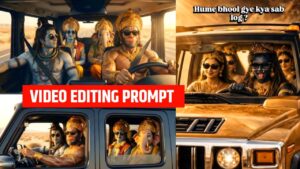
Friends, if you want to go viral on Instagram, you should edit a video using the “Bhagwan ji car driving video editing prompt.” This video is currently going viral on Instagram. Anyone who creates and uploads this type of video is getting millions of views. If you upload one too, your video is also likely to go viral. To create the video, you’ll need a specific prompt, which will allow you to create the video in just one click. This article explains everything step-by-step, so be sure to read it until the end to understand everything.
 Bhagwan Ji Car Driving Video Editing Prompt
How To Use Whisk
To create a photo using Whisk, first open the Google Whisk website and log in with your Google account. Then upload your photo, and if you wish, you can also select a style image (such as cartoon, anime, or painting) or a background image. Next, write a simple and clear prompt, such as “turn this photo into an anime style” or “realistic look with cinematic lighting.” After clicking the Generate button, Whisk AI will create a new photo in just a few seconds, which you can download or try again with a different prompt for a better result.
How to create a video from photos using Grok AI?
First, open the Grok AI platform and log in to your account. After logging in, you will find an image upload option, where you can upload your photo or a group photo. Once the photo is uploaded, you need to write a text prompt, specifying the type of video you want, such as “group photo video with slow cinematic movement” or “reel-style animation with a smooth zoom effect”.
After writing the prompt, Grok AI analyzes the image and generates a video by adding motion, depth effects, transitions, and visual flow. In some tools, you can also choose the video duration, aspect ratio (reel or landscape), and style. After setting everything, click on the Generate Video option.
In just a few seconds or minutes, Grok AI creates an attractive video from your photo, which you can download and share on social media platforms like Instagram, WhatsApp, or YouTube. This way, Grok AI is a powerful tool even for beginners, allowing them to create professional-looking videos from photos without any professional editing skills.
WHISK PHOTO PROMPT ;
 bhagwan ji car driving video editing prompt
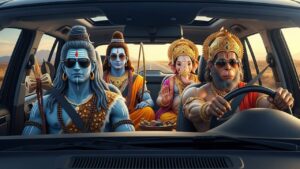
Epic cinematic photo of Hindu mythological gods on a modern road trip, inside a luxury SUV driving through a desert highway. Lord Shiva sitting in the front passenger seat with ash-covered blue skin, rudraksha mala, long tied hair, wearing black sunglasses. Lord Rama sitting in the back seat with blue skin, royal golden crown, calm divine face, wearing sunglasses. Lord Ganesha sitting beside him with elephant head, traditional ornaments, peaceful expression. Lord Hanuman driving the car, muscular body, monkey face, golden crown, intense focus, wearing sunglasses. Ultra-realistic, hyper-detailed, dramatic lighting, cinematic depth of field, 8K resolution, symmetrical composition, realistic skin texture, golden jewelry shining, modern + ancient fusion, movie poster style, shallow depth, ultra sharp focus.
2 PHOTO PROMPT
 Bhagwan ji car driving video editing prompt
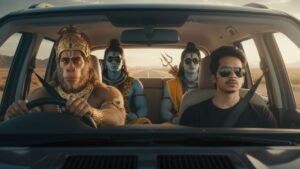
Use the uploaded image as the PRIMARY and ONLY face reference.
The person from the uploaded photo must appear sitting in the front passenger seat of a modern luxury SUV.
Do not change the face. Do not generate a new face. Do not replace identity.
The face, skin tone, facial structure, beard, hair, eyes must be 100% identical to the uploaded photo.
The user is wearing black sunglasses and seatbelt, realistic lighting on face.
Lord Hanuman is driving the car, muscular monkey face, golden crown, divine ornaments.
Lord Shiva and Lord Rama are sitting in the back seat with divine appearance and sunglasses.
Cinematic mythological road trip scene, desert highway background, ultra-realistic photo, dramatic lighting, shallow depth of field, movie poster style, modern + ancient fusion, 8K quality.
exact face match, identity lock, reference image priority, no face variation, photorealistic face preservation
GROK VIDEO PROMPT ;
 Bhagwan ji car driving video editing prompt
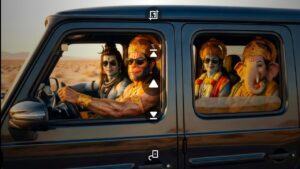
Generate a hyper-realistic cinematic video using the uploaded reference image only. CRITICAL FACE IDENTITY LOCK: Facial structure must remain 100% identical to the reference image No face reshaping, no beautification Geometry, proportions, and features must stay fixed MICRO EXPRESSION (VERY SUBTLE): Add a barely noticeable micro-smile Smile intensity 2–3% only No teeth visible Lips remain closed No lip corner stretch Expression should feel like inner happiness, not an obvious smile Face should still look almost neutral ENJOYMENT THROUGH BODY LANGUAGE: Gentle rhythmic head-nod (pitch rotation ±6–8 degrees) Soft shoulder bounce synced to beat Slight upper torso sway Rap / DJ remix enjoyment vibe Characters & Seating (unchanged): Driver: Lord Shiva Front passenger: uploaded human Back middle: Hanuman Ji Back right: Vishnu Ji All four characters share the same micro-smile + rhythmic movement, enjoying the music calmly. Camera: Front dashboard view Slow cinematic push-in toward windshield Single continuous shot Lighting & Mood: Warm golden sunset light Cinematic reflections Negative Prompt: Strong smile, teeth showing, expression change, laughing, talking, lip movement, face deformation, identity loss. Duration: 6–8 seconds Aspect ratio: 9:16 Style: Ultra-realistic cinematic