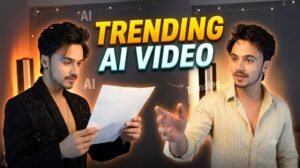
Friends, today’s post is going to be very special for you because Guzarish VN Code Template is currently going viral. If you create a video using this prompt, it will turn out really well—in fact, you can generate your video with just a single click. These AI-generated videos are currently a huge trend. You can create this AI video using ‘Flow’. Simply paste the prompt provided below into ‘Flow’, and your video will be generated perfectly. You are going to love this viral video!
What Is Google Flow
Google Flow is an AI-powered video creation tool from Google that helps users turn simple ideas into creative video content. It allows creators to generate cinematic scenes using text prompts and images without needing advanced video editing skills. You can use it to create short clips, storytelling videos, social media content, and other creative visuals. Google Flow is useful for beginners as well as content creators who want to experiment with AI video generation. By writing a clear prompt and providing suitable images when needed, users can create unique videos with different styles and effects. It can be a helpful option for making engaging content for platforms like Instagram Reels and YouTube Shorts.
Guzarish VN Code Template :-
ai prompt
Use @video1 as the strict reference for all actions, gestures, head and hand movements, timing, camera angle, framing, rotation, close-ups, transitions, outfit changes, editing, lighting and set.Replace the young man in @video1 with the person in @image1 in EVERY frame, from the very first frame to the very last frame, including both face close-ups, when the book or a hand covers the face, when the head is turned sideways, and during every transition. Never show the original man’s face, not even for one frame. FACE RULE — every single shot is a NEW render of the person from @image1, never a copy of the original pixels from @video1: shot 1 (book), shot 2 (first face close-up), shot 3 (book), shot 4 (second face close-up), shot 5 (book swipe), shot 6 (letter) and shot 7 (blazer poses) all show the same face, skin tone, hair and facial hair as @image1. This applies most of all right after each book-swipe transition and in the close-ups.Preserve the complete face and identity of @image1: same face shape, eyes, eyebrows, nose, lips, jawline, beard or moustache (or none), skin tone, hair and gender. Never blend or morph with the original face.CLOTHING RULE: in the everyday shots — 0.0–0.5s, 2.2–3.7s and 4.9–5.7s — the person wears ONLY the exact outfit shown in @image1: the same garments, same colours, same fit and same style as in the photo. Do NOT copy any everyday clothes from @video1. From the book-swipe transition at 5.7s until the end (5.8–10s) the person wears the black shiny party blazer exactly as in @video1. Keep all outfit changes and transitions at the same moments as in @video1. Keep the room, the dark wall, the warm orange lamp light and the lighting exactly as in @video1. ROTATION RULE: the whole video keeps the same sideways / rotated camera angle as @video1 in EVERY shot — the person’s head lies sideways in the frame exactly like in @video1, including both face close-ups and the second book shot (2.2–3.7s). No shot is ever turned upright or straightened. Do not add a new room or new props. PROP: the dark teal hardcover book (with a small red label on its top corner) that the man holds in @video1 must be in the person’s hand in every everyday shot, exactly as in @video1 — never remove it and never replace it with an empty hand.ACTION (follow @video1 exactly, same timing):1. 0.0–0.5s: the person faces the camera in the everyday outfit, holding the dark teal book up in one hand close to the lens on the side of the frame, then sweeps the book across the lens as the transition.2. 0.6–2.1s: right after the book swipe, a close-up of the person’s full face in front of the warm orange lamp, sideways / rotated, framed exactly like this close-up in @video1. It is the face of @image1 — same eyes, eyebrows, skin tone, hairstyle and facial hair — looking into the lens with a soft confident look.3. 2.2–3.7s (starts exactly at 2.2s, not earlier): back to the everyday outfit, same sideways framing and same camera distance as the first shot, the person holds the dark teal book up beside the lens with fingers spread on its cover, with a confident look, then sweeps the book across the lens.4. 3.8–4.8s (starts exactly at 3.8s, not earlier): a second close-up of the person’s full face in front of the warm orange lamp, sideways / rotated, framed exactly like this close-up in @video1. It is the face of @image1 — same eyes, nose, lips, moustache, beard (or clean-shaven skin) and skin tone — with a slight smile and natural lip colour.5. 4.9–5.7s: everyday outfit again, holding the dark teal book, the person sweeps the book across the lens for the outfit-change transition.6. 5.8–7.3s: in the black shiny blazer, the person holds up a white paper letter beside the face and looks at the camera, lips softly closed.7. 7.4–10s: the letter is gone; the person poses in the black blazer under the warm orange lamp light, slowly turning the head, with soft confident smiles and expressions, exactly as in @video1. The lips stay softly closed the whole time — no singing in the black blazer shots.LIP-SYNC: the person softly sings “guzarishon pe” in Hindi TWO times, short and quick, not stretched, exactly when the man in @video1 sings it:0.0–0.7s: “guzarishon pe” (first time)0.7–2.3s: silent, lips completely closed and still during the whole first close-up2.3–3.3s: “guzarishon pe” (second time, back in the outfit from @image1)After 3.3s there is no singing at all until the end, especially not in the black blazer shots from 5.8s to 10s: lips stay softly closed, only expressions copied from @video1.AUDIO: soft gentle singing voice that matches the person in @image1 of “guzarishon pe” two times at the times above, otherwise silence; no music, no other voices.NEGATIVES: upright or straightened shots, shots starting earlier than in @video1, lip movement in the first close-up, pink or purple lip tint, missing book, empty hand instead of the book, the original man’s face in the close-ups, the original face appearing after a book-swipe transition, everyday clothes copied from @video1, the original cream shirt in the everyday shots, singing or lip movement in the black blazer shots, a third “guzarishon pe”, singing at any other time, long held notes, original man’s face, identity swap, face morphing, appearance drift, extra people, altered actions, distorted hands, extra fingers, flickering, new scenes, text, captions, subtitles, logos, watermarks.
How To Use Ai Websites
Using the Google Flow AI website is quite simple, even if you have never worked with AI video tools before. First, open the official Google Flow website in your browser and sign in with your Google account. After logging in, you can start a new project and explore the available AI video creation options.To create a video, you need to describe the scene you want in the prompt box. Try to mention important details such as the subject, location, camera movement, lighting, mood, and overall visual style. A clear and detailed prompt can help you get a better result. Depending on the available options, you can also use an image as a reference for creating your video.After entering your prompt, submit it and wait while Flow generates the scene. Once the video is created, you can review the result and make changes if it does not look the way you expected. You can try different prompts to improve the scene or create additional clips for your project.Google Flow can be useful for making cinematic clips, short videos, storytelling content, and social media posts. With a little practice, you can learn how to write better prompts and create more interesting AI-generated videos.
Conclusion
Google Flow is a useful AI video creation tool for anyone who wants to turn simple ideas into engaging visual content. With the help of text prompts and images, you can create different scenes without needing advanced editing or filmmaking skills. The process is fairly easy once you understand how to write clear prompts and adjust your ideas according to the results. Whether you want to make cinematic clips, short videos, social media content, or creative stories, Flow can make the process more convenient. If you are interested in AI video creation, you can give Google Flow a try and explore its features to create your own unique videos.